
Custom Hooks: How to Design for Logic and Mental Model Reuse
When many people first create custom hooks, their starting point is often similar:
The component has three or four
useStateMultiple
useEffectPlus some event handling logic
The code keeps getting longer and looks exhausting
So they casually extract a useXxx.ts, moving the code over. The file gets shorter, but new problems soon appear:
The hook has many inputs and many return values.
Although the logic has been moved, it's still messy to read.
When child components call it, they don’t know which return values are “state”, which are “actions”, and which are just internal implementation.
This shows that the problem is not “whether to extract a hook”, but rather:
A custom hook is not just “moving code to another file”, but rather redesigning a piece of stateful logic into a stable interface.
If a component is a unit of UI composition, then a custom hook is a unit of stateful logic composition.
1. Don't rush to extract: when is it worth making a custom hook?
React's official definition of a custom hook is quite simple:
It is a function that starts with
use;It can call other hooks inside;
Its purpose is to reuse stateful logic across multiple components.
But in daily projects, “reuse” is only one reason. In practice, common extraction scenarios typically fall into three categories:
1. The same stateful logic appears repeatedly in multiple components
For example:
useWindowSizeuseOnlineStatususeDebouncedValueuseFetchUser
This is the most intuitive case — typical logic reuse.
2. The combination of hooks in a component has formed “a complete capability”
For example:
Search input + debounce + request + cancel old request
Modal open/close + ESC close + click outside to close
Form values + validation + submit + reset
Even if only one component uses it at the moment, it's worth extracting. Because you are not just “reusing lines of code” — you are reusing a complete chunk of interaction semantics.
3. You want to turn a component from a “business controller” back into a “UI description”
This is the kind of scenario I find most worthwhile.
Many components start out like this:
A few
useStateat the topThree
useEffectin the middleFive handlers below
And finally the JSX
It reads like a tiny controller, not a view. At this point, extracting a hook isn't for showing off — it's to turn the component back into a “presentation layer”.
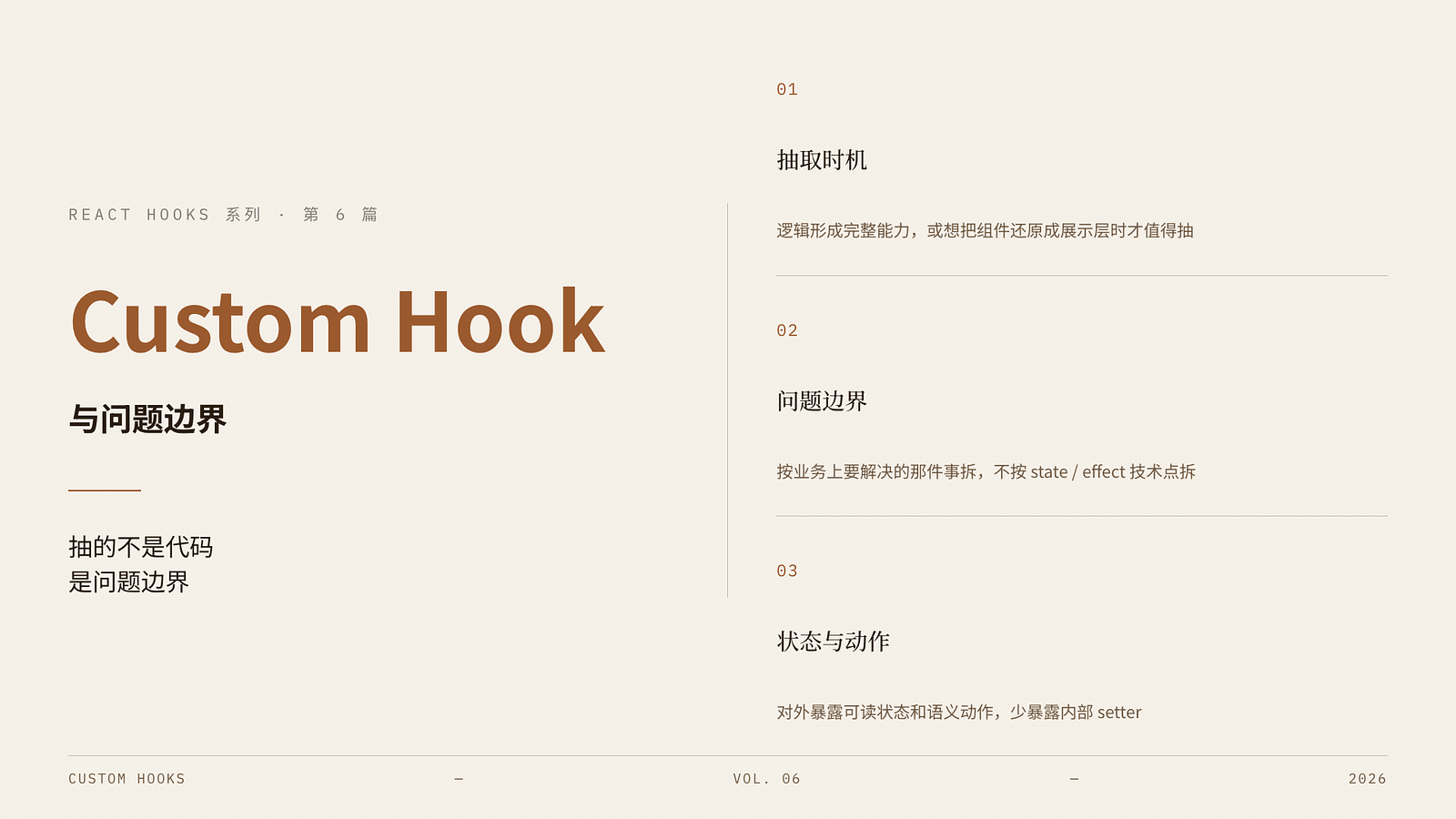
2. Custom hooks don't extract code — they extract “problem boundaries”
This is the most important sentence in the entire article.
When many people extract hooks, they tend to split by “technical concerns”:
One hook handles state
One hook handles effects
One hook handles callbacks
The result is a bunch of useA, useB, useC that nobody understands.
A better approach is to split by “problem boundaries” — that is, split according to the business issue you are solving.
For example, if you are building a search panel, don't split it into:
useKeywordStateuseDebounceuseSearchEffect
Instead, first think about:
Is this piece of logic, as a whole, a “search capability”?
What are the most important inputs and outputs of this capability?
Then you get a more semantic interface:
const {
  query,
  setQuery,
  results,
  loading,
  error,
} = useSearchUsers();
That way, the caller doesn't need to know whether it uses useEffect, useRef, or useCallback internally. It only cares that this hook provides a “user search capability”.
So when designing a custom hook, prioritize answering these two questions:
What complete problem does this hook solve?
What does the calling component absolutely need to know?
3. A bad example: just moving component code out is not design
Let's look at a common piece of code that is “extracted but not really extracted”.
Original logic inside the component
function SearchPanel() {
  const [query, setQuery] = useState('');
  const [users, setUsers] = useState<User[]>([]);
  const [loading, setLoading] = useState(false);

  useEffect(() => {
    if (!query) {
      setUsers([]);
      return;
    }

    let ignore = false;
    setLoading(true);

    fetch(`/api/users?q=${query}`)
      .then(res => res.json())
      .then(data => {
        if (!ignore) setUsers(data);
      })
      .finally(() => {
        if (!ignore) setLoading(false);
      });

    return () => {
      ignore = true;
    };
  }, [query]);

  return ...
}
Many people would directly extract it into:
function useSearchPanelLogic() {
  const [query, setQuery] = useState('');
  const [users, setUsers] = useState<User[]>([]);
  const [loading, setLoading] = useState(false);

  useEffect(() => {
    ...
  }, [query]);

  return { query, setQuery, users, loading };
}
This isn't wrong, but it's hardly “design”. Because it simply moved the entire component logic to another file and renamed it to a hook.
The problem is:
The name
useSearchPanelLogicis too tied to the page — it's not a capability name.If another place later needs to “search users”, this hook may not be reusable.
It binds “page” and “capability” together.
A better approach is to extract a hook with a clearer semantic meaning:
function useUserSearch(initialQuery = '') {
  const [query, setQuery] = useState(initialQuery);
  const [users, setUsers] = useState<User[]>([]);
  const [loading, setLoading] = useState(false);
  const [error, setError] = useState<Error | null>(null);

  useEffect(() => {
    if (!query) {
      setUsers([]);
      return;
    }

    let ignore = false;
    setLoading(true);
    setError(null);

    fetch(`/api/users?q=${query}`)
      .then(res => res.json())
      .then(data => {
        if (!ignore) setUsers(data);
      })
      .catch(err => {
        if (!ignore) setError(err);
      })
      .finally(() => {
        if (!ignore) setLoading(false);
      });

    return () => {
      ignore = true;
    };
  }, [query]);

  return {
    query,
    setQuery,
    users,
    loading,
    error,
  };
}
At this point it's no longer “moving page logic around” — it's a truly bounded state capability module.
4. When designing custom hooks, keep inputs and outputs “few and stable”
The most common way custom hooks get out of control is too many return values.
For example:
const {
  query,
  setQuery,
  users,
  setUsers,
  loading,
  setLoading,
  error,
  setError,
  refetch,
  reset,
  inputRef,
} = useUserSearch();
This kind of API immediately feels wrong. The reason is not “too many values” per se, but that it exposes internal state management to the outside.
A well-designed hook's public API usually looks like two categories:
State
Actions
For example:
const {
  query,
  users,
  loading,
  error,
  setQuery,
  refetch,
  reset,
} = useUserSearch();
Here it's clear:
query/users/loading/errorare states.setQuery/refetch/resetare actions.
Items like setUsers, setLoading, setError are generally internal implementation details of the hook and should not be casually exposed to callers. Otherwise the hook loses its constraint, and the outside can tamper with its state arbitrarily.
So there is a very practical design principle: > A hook's return value should prioritize exposing “readable states” and “semantic actions”, and avoid exposing internal setters.
This is the same philosophy as component encapsulation.
5. Solidify the rules from previous articles into your hooks
The most valuable thing about custom hooks is not “reusing code”, but solidifying the best practices from previous articles into reusable default patterns for your team.
In other words, a good custom hook should naturally have these characteristics:
Doesn't misuse effects.
Doesn't synchronize derived state.
Handles closures and dependency arrays properly.
Only uses ref and callback when necessary.
For example, we've talked about “debounced search” before. If every component writes it from scratch:
Some people forget to clear the timer;
Some people write stale closures;
Some people get tangled up syncing intermediate state.
Encapsulating it into a hook actually unifies the correct approach:
function useDebouncedValue<T>(value: T, delay: number) {
  const [debouncedValue, setDebouncedValue] = useState(value);

  useEffect(() => {
    const id = setTimeout(() => {
      setDebouncedValue(value);
    }, delay);

    return () => clearTimeout(id);
  }, [value, delay]);

  return debouncedValue;
}
Then the business component can simply write:
const [query, setQuery] = useState('');
const debouncedQuery = useDebouncedValue(query, 400);
That way, the caller doesn't need to rethink the boundaries of the debounce effect. This is the true value of custom hooks: front-load the judgment cost once, and everyone after just uses it.
6. The 3 most worthwhile basic hooks to solidify in your project
This section doesn't aim for fancy tricks — it covers three hooks that are easiest to implement and best demonstrate design sense.
1. usePrevious
function usePrevious<T>(value: T) {
  const ref = useRef<T | undefined>(undefined);

  useEffect(() => {
    ref.current = value;
  }, [value]);

  return ref.current;
}
This hook is great for comparison logic, for example:
Checking if a value just changed
Triggering simple animations
Comparing previous and current props
Its value isn't just code reuse — it extracts the semantics of “previous value”.
2. useDebouncedValue
function useDebouncedValue<T>(value: T, delay: number) {
  const [debouncedValue, setDebouncedValue] = useState(value);

  useEffect(() => {
    const id = setTimeout(() => {
      setDebouncedValue(value);
    }, delay);

    return () => clearTimeout(id);
  }, [value, delay]);

  return debouncedValue;
}
This hook is perfect for:
Search boxes
Form interactions
Deferred requests after frequent input
It extracts the “time semantic of debounce” from the component.
3. useEventCallback / latest-callback pattern
function useEventCallback<T extends (...args: any[]) => any>(fn: T) {
  const fnRef = useRef(fn);

  useEffect(() => {
    fnRef.current = fn;
  }, [fn]);

  return useCallback((...args: Parameters<T>) => {
    return fnRef.current(...args);
  }, []);
}
The use case for this hook is:
You want a stable function reference;
It always executes the latest logic inside.
This pattern is particularly useful for third-party event systems, timer utilities, and subscription bridges.
But a reminder:
It's a utility pattern, not the default for business components.
In normal scenarios, just writing dependencies honestly is often simpler.
7. When should you NOT extract a custom hook?
This section is important. Just because a component has two useStates doesn't mean you have to extract a hook.
Here are some situations where extraction is usually not worth it:
1. The logic is very short and only appears once in the current component
For example:
const [open, setOpen] = useState(false);Extracting it into useModalOpen() would be over-engineering. It doesn't form a real capability boundary — it just wraps simple logic in a name.
2. The extracted interface is harder to understand than the original component
If a hook requires:
8 parameters
12 return values
A bunch of options configuration
Then you most likely aren't abstracting — you're just hiding complexity. The complexity didn't disappear; it just moved elsewhere.
3. The logic is tightly coupled to the page structure, and there is no stable boundary yet
Some things currently belong only to this page, and you haven’t figured out how they will evolve. In such cases, it's better to keep them in the component first, rather than rushing to extract a half-baked hook.
The right time to extract a hook is usually when “the boundary has emerged”, not when “the code has just gotten longer — let's split it immediately”.
8. A complete refactoring example: from page controller to custom hook
Let's first look at a common page code:
function UserSearchPage() {
  const [query, setQuery] = useState('');
  const [users, setUsers] = useState<User[]>([]);
  const [loading, setLoading] = useState(false);
  const [error, setError] = useState<Error | null>(null);

  const debouncedQuery = useDebouncedValue(query, 400);

  useEffect(() => {
    if (!debouncedQuery) {
      setUsers([]);
      return;
    }

    let ignore = false;
    setLoading(true);
    setError(null);

    fetch(`/api/users?q=${debouncedQuery}`)
      .then(res => res.json())
      .then(data => {
        if (!ignore) setUsers(data);
      })
      .catch(err => {
        if (!ignore) setError(err);
      })
      .finally(() => {
        if (!ignore) setLoading(false);
      });

    return () => {
      ignore = true;
    };
  }, [debouncedQuery]);

  return (
    <div>
      <input
        value={query}
        onChange={e => setQuery(e.target.value)}
      />
      {loading && <div>Loading...</div>}
      {error && <div>{error.message}</div>}
      <ul>
        {users.map(user => (
          <li key={user.id}>{user.name}</li>
        ))}
      </ul>
    </div>
  );
}
This code is still relatively clear, but as requirements grow, it will quickly get heavier. At this point we can extract it into:
function useUserSearch(delay = 400) {
  const [query, setQuery] = useState('');
  const [users, setUsers] = useState<User[]>([]);
  const [loading, setLoading] = useState(false);
  const [error, setError] = useState<Error | null>(null);

  const debouncedQuery = useDebouncedValue(query, delay);

  useEffect(() => {
    if (!debouncedQuery) {
      setUsers([]);
      return;
    }

    let ignore = false;
    setLoading(true);
    setError(null);

    fetch(`/api/users?q=${debouncedQuery}`)
      .then(res => res.json())
      .then(data => {
        if (!ignore) setUsers(data);
      })
      .catch(err => {
        if (!ignore) setError(err);
      })
      .finally(() => {
        if (!ignore) setLoading(false);
      });

    return () => {
      ignore = true;
    };
  }, [debouncedQuery]);

  const reset = useCallback(() => {
    setQuery('');
    setUsers([]);
    setError(null);
    setLoading(false);
  }, []);

  return {
    query,
    setQuery,
    users,
    loading,
    error,
    reset,
  };
}
And then the page becomes:
function UserSearchPage() {
  const {
    query,
    setQuery,
    users,
    loading,
    error,
    reset,
  } = useUserSearch();

  return (
    <div>
      <input
        value={query}
        onChange={e => setQuery(e.target.value)}
      />
      <button onClick={reset}>Clear</button>
      {loading && <div>Loading...</div>}
      {error && <div>{error.message}</div>}
      <ul>
        {users.map(user => (
          <li key={user.id}>{user.name}</li>
        ))}
      </ul>
    </div>
  );
}
The biggest benefit after this refactoring is not “less code”, but that the page finally looks like a page again:
It handles presentation.
useUserSearchhandles state capability.
This is the natural division of labor between a component and a hook.
9. Takeaways from this article
The goal of custom hooks is not just to reuse code, but to reuse the boundary and semantics of a piece of stateful logic.
The right time to extract a hook is usually when the logic has formed a complete capability, or when you want to turn a component back into a presentation layer.
When extracting a hook, split by “problem boundaries”, not by technical points like
state/effect/callback.A hook's public API should prioritize exposing “state + actions”, and avoid exposing internal setters.
A good custom hook should embed the correct mental models from previous articles, rather than just moving complexity around.